 WorkShift HQ
Product · Team coordination
Staff schedule sharing and team coordination
Give staff one place to check the published plan, request changes and find the information for their next shift.

One current schedule in familiar places
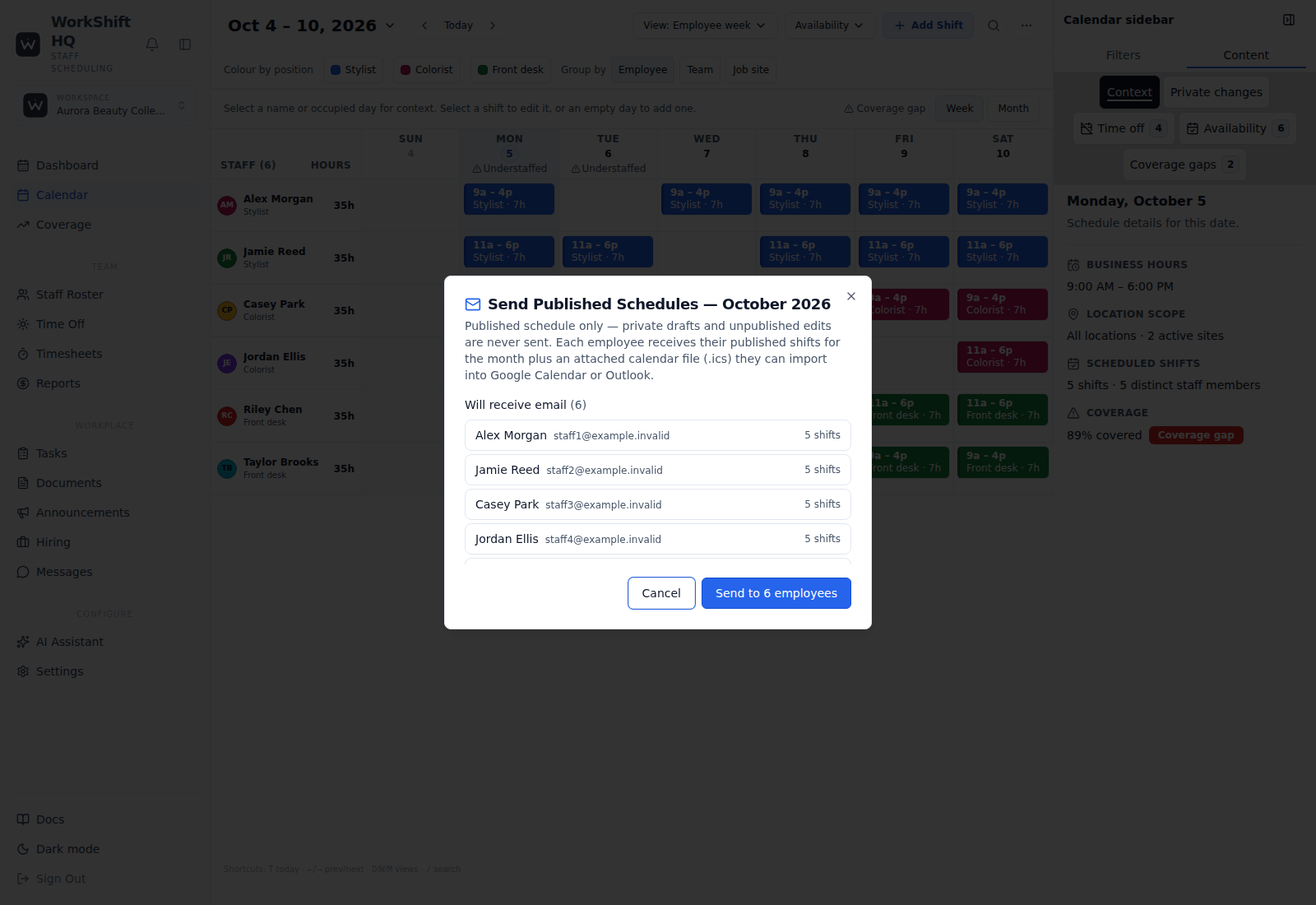
Employees can view their shifts from a web portal. A companion WorkShift HQ Staff app is built for iOS and Android, but public app-store availability is not confirmed here; ask your workspace manager for the current install route. Managers can send each person a monthly schedule email with an ICS attachment, and employees can subscribe to a personal ICS feed in a compatible calendar application.
The calendar feed is a subscription to the person’s schedule; anyone who has its private URL can access it, so staff should not post it publicly. Schedule email depends on a valid staff email and configured mail delivery. The manager can preview recipients and skips before sending.
Collect requests before the schedule is final
Employees can record regular availability and submit date-specific time-off requests. Managers review and decide requests, and the calendar can flag a shift that conflicts with approved time off or a person’s availability. A request does not itself change the published schedule.
Staff can request cover for their assigned shift, and eligible coworkers can claim an open shift where the workspace has enabled those permissions. A manager must approve the proposed cover before the schedule changes.
Give announcements, tasks, and documents a home
Managers can post announcements, assign tasks, and organize shared documents. These tools give the team somewhere to find operational information rather than depending on a single group conversation. Direct messages and conversations support day-to-day communication in the workspace.
Managers have the management experience. Per-person staff permissions cover team-schedule and team-calendar visibility, coworker contacts, time-off requests, availability editing, assigned to-dos, shift covers, and an employee’s own pay information. These controls do not grant staff access to another employee’s pay.
Use text notices as an optional channel
When OneSignal is configured and text notifications are enabled, opted-in staff can receive shift and time-off change messages. This is an optional alert channel, not a replacement for checking the current schedule in the portal or app.
Text availability depends on service configuration, the workspace setting, and staff consent. Do not promise that an unconfigured business sends SMS or that a text message is guaranteed to arrive.
Roll out the tools with clear expectations
Introduce one reliable schedule source, show staff how to find shifts and make requests, and agree on which channels carry important changes. A short practice period can help uncover missing email addresses, incomplete availability, or notification preferences before the process becomes routine.
The app helps coordinate work; it does not ensure every employee reads an update or replace an employer’s communication policies. Start with the public staff guide and explain to the team what they are expected to check.
Try WorkShift HQ with your own team
Build a schedule, share it with your staff, and keep an eye on hours in one place.