 WorkShift HQ
Product · Hours and costs
Time clock, timesheets, and labor-cost visibility
Know which hours you are looking at: the schedule you planned, the time staff recorded, or the approved actuals used to prepare gross earnings.

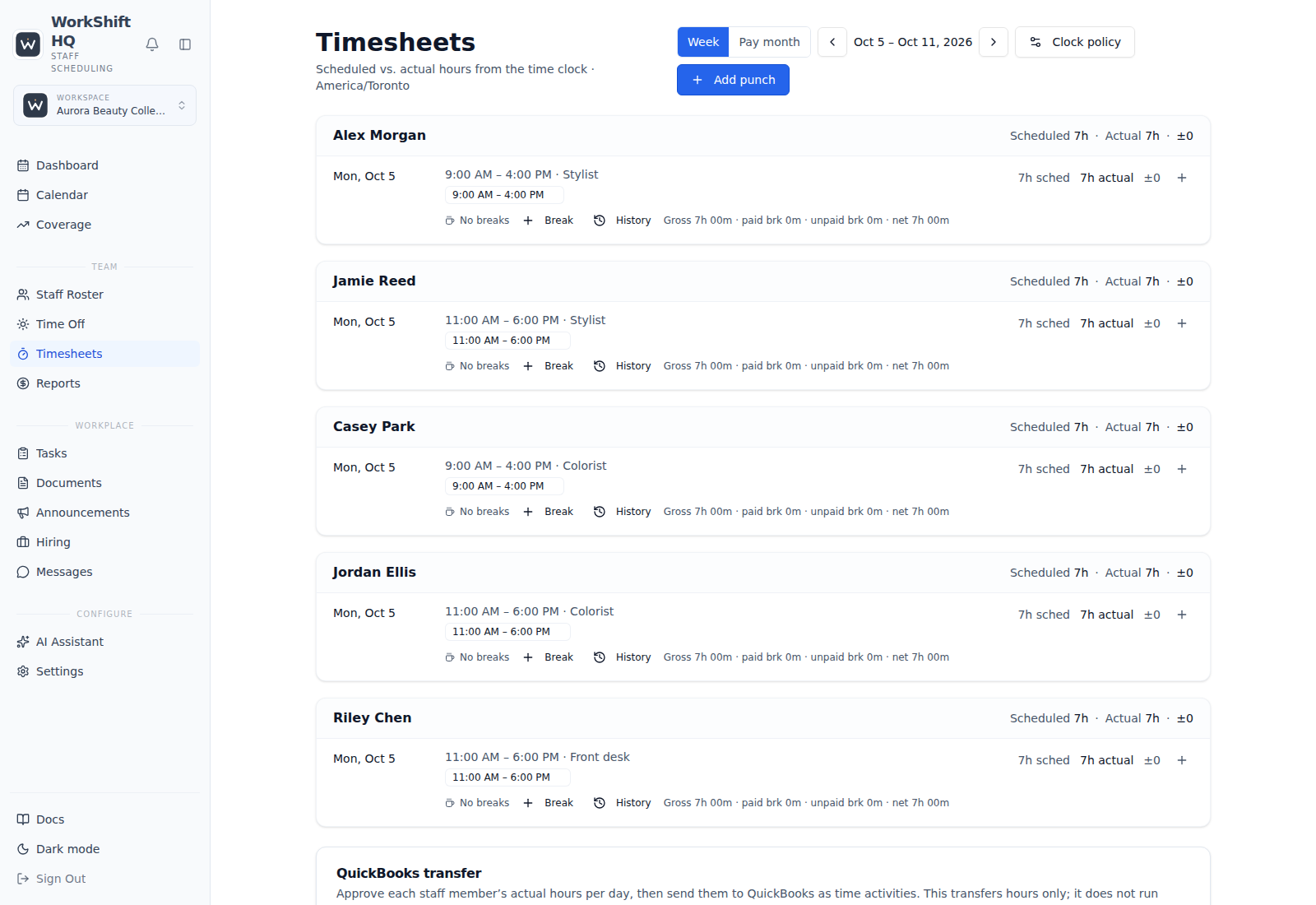
Record time against the schedule
Employees can clock in and out from their staff portal or app. Recorded punches become timesheet entries that managers can review against scheduled shifts. The timesheet view calls attention to differences such as late arrivals, early departures, and shifts without expected punches.
A punch is a record to review, not a payroll run. Managers can correct time records through the timesheet workflow, and employers remain responsible for approving time and applying their own pay and compliance procedures.
Separate planned time from observed time
Reports includes monthly wage estimates and a labor-cost view comparing scheduled and actual hours and costs over a selected period. Actual figures are based on days with time-clock data; periods with no punch data should not be read as a verified actual-hours report.
Managers see pay reporting only if an owner grants them pay access. Owners can see it by default. Staff can optionally be permitted to view their own pay configuration, never another employee’s pay through that personal permission.
Use location reporting with its inputs in view
Job Analytics groups staffing and labor by location. Scheduled activity can be compared with clocked actual time when punches exist. The report can also show location revenue entered manually by an authorized user; there is no automatic revenue feed implied by this report.
When revenue is recorded, the report subtracts scheduled labor cost for the matching period. That remainder excludes other business expenses and is not net profit, even where the interface uses a profit label. Missing revenue stays unknown. Downloads cover activity and cost, not every manual revenue field.
Treat labor percentage as a useful, limited measure
Labor cost as a share of revenue is a ratio, not a complete measure of business health. Its usefulness depends on which labor costs and which revenue are counted, whether the periods match, and whether actual or scheduled labor is being used.
WorkShift HQ reports schedule, punch, wage and manually entered location-revenue data. A separately configured QuickBooks connection can read historical accounting revenue for authorized users; it does not overwrite manual location revenue. Neither report runs payroll or certifies the accounts.
Prepare approved gross earnings—not a payroll payment
Start in Timesheets: review recorded punches and breaks, resolve blockers and approve employee-day totals. In Reports, a pay-authorized user reviews the preparation period, effective pay rules, confirmed commissions and tracked tips before finalizing a versioned gross-earnings batch.
Finalization preserves what was reviewed; it does not issue wages, calculate net pay, file taxes or certify compliance. Download the prepared CSV for review in your payroll process. Corrections require the supported reopen and review workflow rather than silently changing a finalized batch.
When recorded hours differ from planned hours, the manager reviews the records and unpaid breaks. Approved preparation uses approved actuals, not the planned hours. Missing approval is a blocker, not permission to substitute the schedule.
Keep sensitive reporting appropriately scoped
Wage and cost information is not an open employee dashboard. Owners have pay access; managers require an owner’s individual approval to view pay reports. Per-employee permissions can allow a person to see their own pay information without granting access to colleagues’ pay.
Choose a plan based on the roster, location count, and export needs, and review the access rules with the people who will manage the reports. WorkShift HQ supplies operational visibility rather than tax advice or payroll services.
Try WorkShift HQ with your own team
Build a schedule, share it with your staff, and keep an eye on hours in one place.