 WorkShift HQ
Retail workflow
Retail location coverage and hours
Plan by location, then review scheduled and recorded hours with their inputs and limits in view.
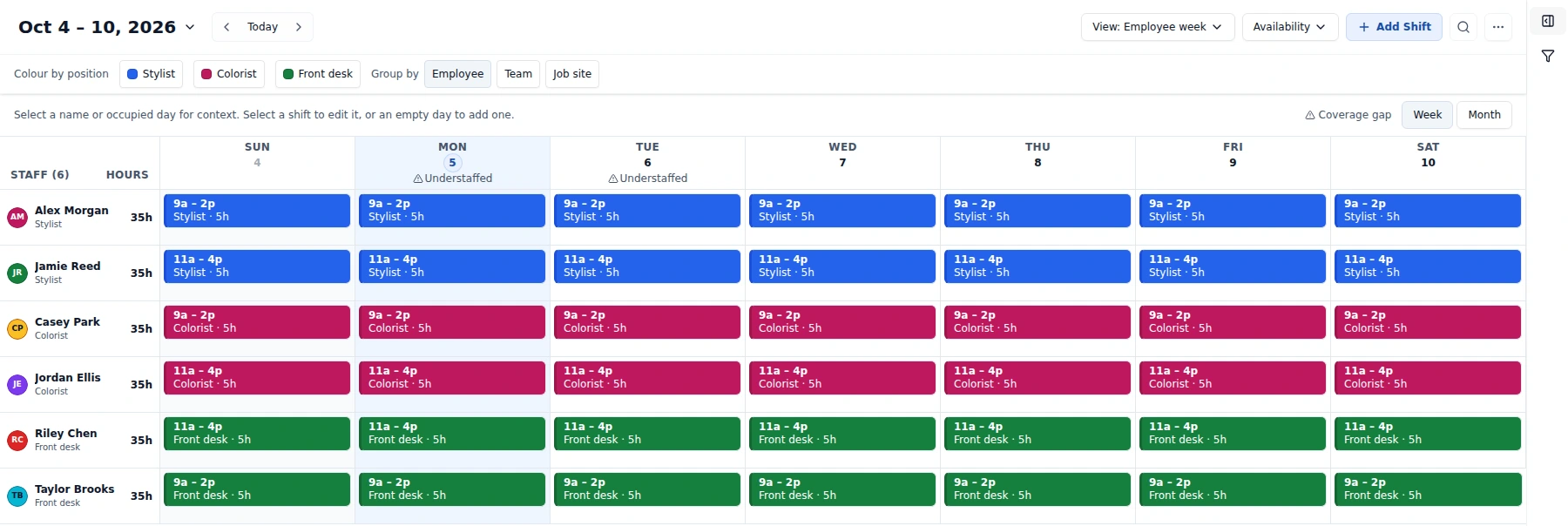
Coordinate availability, coverage and schedule changes in one workspace.

Scenario
Imagine a retailer with several locations and a shared team roster. Each store has its own opening hours and may need different opening, floor, stock, and closing coverage across the week.
Challenge
The owner wants to see a shift plan in the context of each site while retaining one shared workspace. After the week, the owner also wants to compare planned staffing with recorded punches without treating a schedule as proof of hours actually worked.
Multiple sites introduce a plan question too: the number of locations allowed depends on the subscription tier.
Industry workflow
The owner sets up locations and their applicable hours and coverage targets, then assigns people and shifts to the appropriate site. The manager reviews availability and approved leave while drafting each location’s week.
After work, staff clock in and out. The owner reviews timesheets and supported scheduled-versus-actual labor reporting. For location Job Analytics, any revenue figure is entered manually and should be compared with the corresponding period and labor measure.
Capabilities in scope
WorkShift HQ supports multiple locations on the Salon plan, location-specific business hours and staffing targets, shifts assigned to locations, timesheets, and owner-facing Job Analytics. Actual labor figures require time-clock records for the days being considered.
Managers receive pay-report access only when an owner grants it. This location report uses manual revenue; separate configured QuickBooks reports read historical accounting revenue. Neither processes payroll.
Challenge → workflow → benefit
Configure locations, assign shifts to sites, and compare scheduled time with timesheets in one shared workspace. Location revenue is entered manually.
Limitations and next step
Solo and Studio support one location; Salon supports unlimited locations. Missing revenue is not zero. Revenue minus scheduled labor excludes other expenses and is not net profit.
Compare multi-site requirements with plan limits and review the location-based workflow before starting.
Coordinate availability, coverage and schedule changes in one workspace.
Try WorkShift HQ with your own team
Build a schedule, share it with your staff, and keep an eye on hours in one place.