 WorkShift HQ
A practical difference
What does WorkShift HQ do differently?
WorkShift HQ focuses on the recurring handoff between building a service-team schedule, helping staff follow it, and reviewing the time that was recorded.

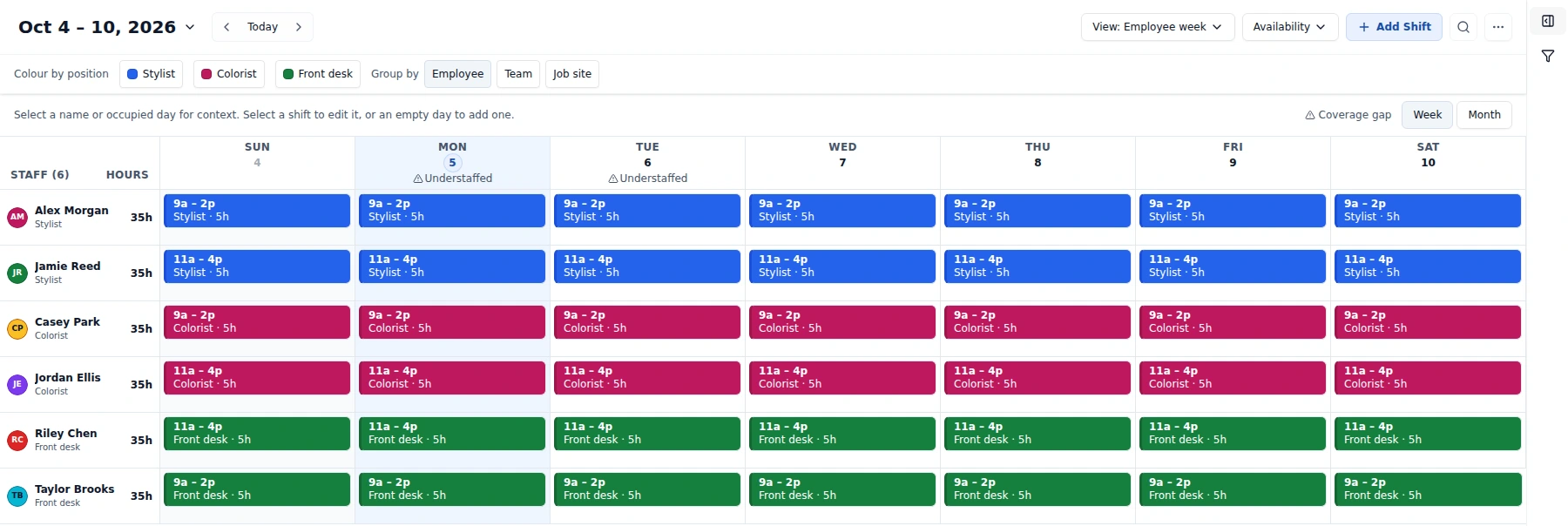
The schedule is more than a grid
Changes are planned privately, checked with Review changes, and released together with Publish all changes. Emailing published schedules is a separate step that can be repeated.
A spreadsheet can be a sensible starting point, and a group chat can be useful for a quick conversation. Friction appears when availability, approved leave, coverage needs, the current schedule, and the latest change each live in a different place.
WorkShift HQ puts scheduling context in a calendar: positions, locations, business hours, availability, time off, and configured coverage targets. Conflict warnings bring some scheduling risks forward for manager review.
The person doing the work has a place to look
Staff can check their own schedule in the web portal or mobile app, submit time off and availability, and use enabled team tools. Personal calendar feeds and monthly schedule emails offer additional ways to follow shifts.
This does not mean every message is read or that every channel is synchronized. Managers remain responsible for the way they publish changes, and staff need clear expectations about where the current schedule lives.
The plan and actual time can be reviewed together
Time-clock punches and timesheets help compare assigned work with recorded hours. Owners can review scheduled and actual labor-cost information where time-clock data exists. This connects the schedule to operational review without presenting the app as a payroll system.
Pay information is restricted: owners have access, managers need explicit owner approval for pay reports, and staff pay visibility can be limited to an individual’s own information.
The focus is on practical service teams
The product is positioned for small and medium-sized service businesses that need to coordinate shifts and people, not for an enterprise procurement process. The public pricing has a free Solo tier and flat monthly paid tiers with stated staff and location limits.
That focus makes it especially important to read the boundaries: the Solo tier caps monthly exports; multi-location businesses need Salon; job revenue is manually entered; and labor reports do not run payroll.
Decide from the workflow, not a superlative
Rather than claim a universal advantage, compare the work your team actually does: gather constraints, build a schedule, make changes visible, and review hours. Then check whether the available roles, permissions, plan limits, and integrations fit that work.
Use the read-only product tour and industry workflow guides to explore the process, then assess a workspace with your own operating rules.
Try WorkShift HQ with your own team
Build a schedule, share it with your staff, and keep an eye on hours in one place.